AI-Powered Smart Home Architecture — How My Home Thinks for Itself
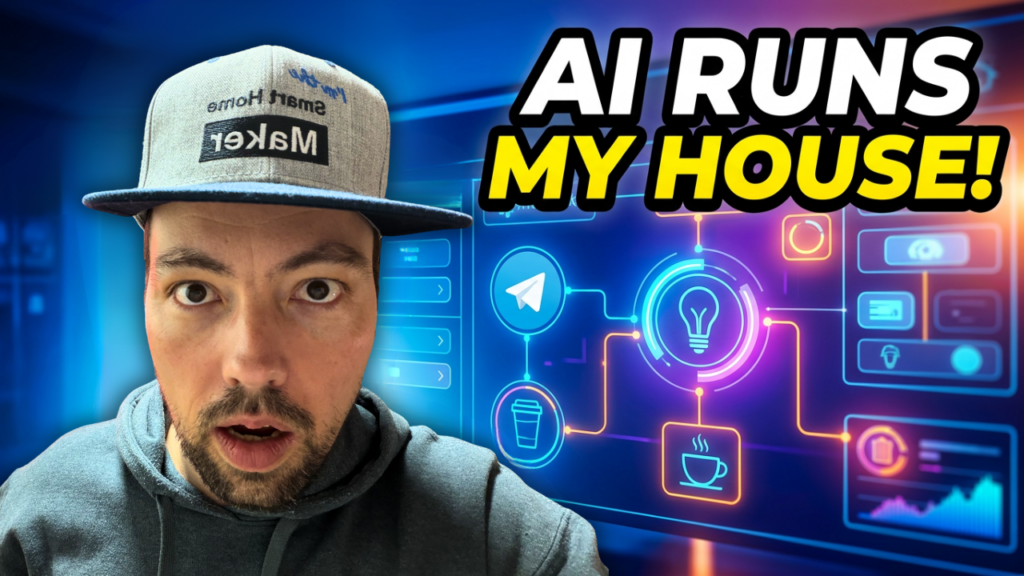
My smart home is powered by two AI pillars: an AI DevOps pipeline that builds and maintains everything — and an AI automation layer the whole family uses every day. In this post, I’ll walk you through the full architecture and show you how it all fits together.
The Two Pillars
Most smart home setups have a single layer: devices, automations, dashboards. Mine has two fundamentally different AI layers that serve completely different purposes.
Pillar 1: AI DevOps — Building the Smart Home
This is where the smart home gets built. I work with Claude Code (Opus) as my AI coding partner. Together, we write n8n workflows, Home Assistant automations, ESPHome device configs, and even 3D printing CAD files.
The workflow looks like this:
- Task Management: All tasks live in Todoist. Claude Code reads them at the start of each session, works through them, and checks them off when done.
- Nova Notebook: Concepts, analyses, and decisions get documented in a searchable notebook — so context is never lost between sessions.
- Email Summaries: After each completed task, I get an email with what was done, what changed, and how to test it.
- Git: Every change is committed and pushed — full version history, always.
This means I can describe what I want in plain language, and the AI handles the implementation across multiple platforms — n8n, Home Assistant, ESPHome, WordPress, whatever the task requires.
Pillar 2: AI Smart Home — Living With AI
This is what the family actually interacts with. My AI assistant Nova is available through multiple channels:
- Telegram Chat — the primary interface, text and voice messages
- Home Assistant Voice PE — voice control in the house
- HA App & Dashboards — visual control on phones and tablets
- Sensors & Devices — motion, temperature, noise, door sensors
- Schedules — time-based automations running in the background
The Message Flow
When someone sends a message to Nova via Telegram, here’s what happens:
- Telegram — User writes or speaks a message
- Router — Detects context: is this a smart home command, a question, a reminder, a content idea?
- PII Protection — Personal data gets anonymized before it reaches any cloud AI
- AI Agent — Understands the intent and decides what to do
- Home Assistant — Executes the action (lights, climate, notifications, etc.)
Privacy: PII Protection
This is one of the parts I’m most proud of. I use cloud AI (Claude, GPT-4o) for their intelligence — but personal data never leaves my local network.
Here’s how it works:
- A message like “Call Lukas” comes in
- Presidio (self-hosted, local) anonymizes it to “Call [PERSON_1]”
- The anonymized message goes to the cloud LLM
- The LLM responds with [PERSON_1] placeholders
- Presidio de-anonymizes the response locally — replacing placeholders with real names
- The user gets a natural response with the real name
The cloud AI never sees real names, addresses, or personal information. Best of both worlds: cloud intelligence with local privacy.
What Nova Can Do
Here are some of the AI-powered features we use every day:
- Morning Briefing — Weather, calendar, trash pickup schedule, and a family stress score — delivered via voice
- Birthday Bot — Remembers birthdays, drafts personalized WhatsApp greetings with context about the person
- Inventory Management — Photo of a component → AI recognition → project assignment → searchable dashboard (more on this below!)
- Email Agent — Nova answers emails and tracks Amazon orders automatically
- Smart Notifications — Context-aware alerts: noise level warnings, doorbell, motion detection
- Caffeine Tracker — Counts coffee cups and warns when approaching WHO daily limits
- Family Dashboard — Stress score, sleep quality, energy levels, and calendar at a glance
- Content Pipeline — YouTube uploads trigger blog post drafts, social media texts, and podcast transcripts
How I Use It (examples)
- Dashboard — A searchable, filterable web dashboard with photos, categories, and bin locations
- Voice Search — “Do I have any ESP32s left?” via Telegram or voice
- Project Management — Track which components are assigned to which build project
- Content Pipeline — Completed projects automatically feed into blog posts, videos, and build logs
- Label Printing — Generate printable QR code labels for bins and items
Tech Stack
Here’s everything that powers this setup:
- Home Assistant — The smart home hub (self-hosted)
- n8n — Workflow automation (50+ workflows, self-hosted)
- Claude Code — AI development partner (cloud)
- GPT-4o — Vision recognition, text processing (cloud)
- Presidio — PII anonymization (self-hosted)
- Telegram Bot API — Primary chat interface
- ESPHome — Custom local IoT devices
- Tailscale — Mesh VPN connecting all servers
- Docker — Everything containerized
- Local Server (Mac Mini) — Runs local services
- Zigbee / MQTT — Device protocols
- UniFi — Network infrastructure with VLANs
Interactive Architecture Overview
Want to explore the full architecture interactively? Check out the AI Architecture page on my website — it has visual diagrams of every layer, the message flow, the PII pipeline, and the inventory system.
If you have questions or want to build something similar, drop a comment below or reach out via chat.


Leave a Reply