// Short Posts

Quick updates, thoughts and discoveries from the smart home world.

2 years ago

I Designed My Own Home Control Handset

Rather than buying a controller, I designed one: my own circuit board with an ESP32, a small programmable chip with built-in wireless, running the free ESPHome firmware.

That combination lets the remote talk to Home Assistant, so one device can switch lights or adjust the heating without opening an app.

I go through the whole path, from drawing the circuit board to getting the chip programmed and the buttons doing what they should.

I Designed My Own Home Control Handset
2 years ago

Every Button On The Remote Responds

Small milestone on the self-built remote: every single button now does what it is supposed to.

Getting there took considerably more troubleshooting than the finished result suggests, which is usually how these projects go. The last few inputs are always the stubborn ones.

This is a quick look at the board with every input finally responding the way it was meant to from the start.

Every Button On The Remote Responds
2 years ago

My Self-Built Remote Comes To Life

The remote I have been building is starting to feel like a real device rather than a pile of parts.

The button board I drew up myself works, and it performs better than I expected at this stage. A few details still need adjusting, but I am confident about getting them sorted.

Another step towards controlling everything in the house from one thing I made myself.

My Self-Built Remote Comes To Life
2 years ago

Soldering Buttons Onto The Remote Board

The unglamorous part of a hardware project: sitting at the bench and soldering buttons and wires onto the circuit board.

It is slow, repetitive work with no shortcuts, and it quietly decides whether the finished remote will feel solid or wobbly in the hand later on.

This is a short glimpse of that stage, well before anything gets switched on for the first time.

Soldering Buttons Onto The Remote Board
2 years ago

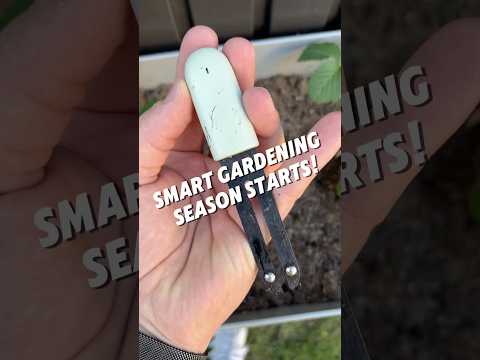
Preparing The Garden For The 2025 Season

The gardening year starts well before anything is green, and this is the point where I get the technical side ready again.

Sensors and watering hardware come back out, get checked and go back into place for the coming season.

It is unspectacular preparation work, but it is what stops things failing later in summer when it actually matters.

Preparing The Garden For The 2025 Season
2 years ago

A Better Trigger For My Fixed Air Conditioner

The air conditioning unit in our house is a fixed installation, and until now switching it on meant walking over to it and pressing a button by hand.

In this clip I show the alternative I ended up using: the unit gets started the same way as everything else in my home, without touching the device itself.

It is a small change in daily use, but it removes one of those little detours that quietly annoy you every single time.

A Better Trigger For My Fixed Air Conditioner
2 years ago

The Button Board For My Remote Arrived

The package I had been waiting for is here: the circuit board that carries the buttons for the universal remote I am building for my smart home.

A circuit board is simply the thin plate that holds the electronics and the wiring between them. This one exists purely so the buttons sit in the right spots and connect cleanly to the rest.

Holding a part you drew on a screen a few weeks earlier is the point where a project stops being an idea.

The Button Board For My Remote Arrived
2 years ago

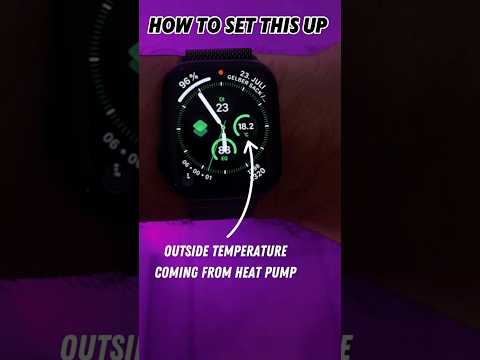
Controlling My Home From The Apple Watch

My watch turned out to be one of the fastest ways to reach the house. No unlocking a phone, no hunting for an app icon, just a glance at my wrist.

In this video I walk through how Home Assistant, the open software that runs my smart home, ends up on the watch and what that looks like in practice.

It does not replace the phone for everything. For the handful of things I trigger ten times a day, it is clearly the shorter path.

Controlling My Home From The Apple Watch
2 years ago

Why My Remote Needs Real Buttons

A remote that only works if you know which menu to open is a remote that only I will use. That is the reason I am adding proper buttons you can press.

Everyone in the house should be able to pick the thing up and get something to happen, without a tutorial and without asking me first.

In this clip I show where the buttons go and how they fit into the housing I am building around them.

Why My Remote Needs Real Buttons
2 years ago

Eight Buttons On Only Four Connections

The small computer inside my remote has a limited number of connection points for things like buttons, and I wanted more buttons than points.

So I wired them in a pattern where each button sits at the crossing of two lines. The chip then works out which one was pressed from that combination instead of needing its own wire per button.

The result is eight buttons running on four connections, which leaves room for the other parts I still want to attach.

Eight Buttons On Only Four Connections
2 years ago

Swapping Out My Old Camera Detection Setup

The software that looked at my camera pictures and decided whether a person was in them had been outdated for a while. I finally sat down and replaced it with Frigate.

Frigate now runs on my small home server and reports back into Home Assistant, so the camera events land in the same place as the rest of my automations.

A tutorial from another creator saved me a lot of trial and error here, and the setup has been running nicely since.

Swapping Out My Old Camera Detection Setup
2 years ago

Where My Universal Remote Project Goes Next

Time for a status update on the remote I am building. This clip is less about a finished part and more about the plan for the coming steps.

I go through what is already settled, what still needs a decision, and which pieces have to come together before the thing can leave my desk.

Laying that out loud also keeps me honest about the order in which I tackle it.

Where My Universal Remote Project Goes Next
2 years ago

One Remote For The Entire Smart Home

Lights here, blinds there, media somewhere else. My house had collected a pile of separate controls, and I got tired of picking the right one.

So I started building a single handheld device that talks to all of it. This clip is the introduction to that project and the idea behind it.

The goal is not another gadget on the shelf. It is one object anybody can grab that actually covers what the house can do.

One Remote For The Entire Smart Home
2 years ago

A Firmware Update Brought My Roller Shutters Back

Two of our roller shutters simply vanished from my smart home a few months ago. They were no longer recognised, and nothing I tried brought them back.

They are connected through a small USB adapter that talks to the shutters by radio. The fix in the end was not my configuration at all, but a firmware update for that adapter.

Firmware is the software living inside the hardware itself. Updating it is easy to forget, and in this case it was the whole problem.

A Firmware Update Brought My Roller Shutters Back
2 years ago

Getting More Out Of An IKEA Air Sensor

The air quality sensor from IKEA is cheap and, on its own, fairly limited. With a bit of custom software flashed onto it, that changes.

After the modification it reports things like fine dust levels, carbon dioxide and how bright the room is straight into Home Assistant, where I can build automations on top of those readings.

This clip is only a short preview of the hack. The step by step version follows separately.

Getting More Out Of An IKEA Air Sensor
2 years ago

Powering Wearables Through The Human Body

Charging a watch, then earbuds, then glasses. Every wearable device adds another cable and another evening routine.

I came across a research approach that takes a different route: energy travels across the skin to the device instead of coming from a socket. The body becomes the transport path.

It is early work rather than something you can buy. Still, it is the first idea in a while that would genuinely remove the charging habit instead of shortening it.

Powering Wearables Through The Human Body
2 years ago

What My House Does While I Travel

When I am a few thousand kilometres from home, I do not want to wonder whether something was left on. One tap on my phone puts the house into a travel state.

From that moment the heating runs lower, lights stop switching on by themselves, and the security side takes over: the alarm arms itself, motion sensors and cameras stay ready.

If anything unusual happens, I get a message and a recording instead of a surprise when I come back.

What My House Does While I Travel
2 years ago

Filming Hands Free While Walking The Beach

This clip was recorded while I was walking along a beach, and I never held a camera. The smart glasses on my nose did it after a short spoken command.

That is the situation where they convinced me: travelling, hands busy or full, and a moment that would be gone by the time a phone is out of the pocket.

I expected a gimmick and got something I actually reach for on trips.

Filming Hands Free While Walking The Beach
2 years ago

Upgrading My Smart Glasses With A Messenger

Out of the box the glasses do what the manufacturer intended and not much more. There is a way around that.

The trick is to route the conversation through a normal messaging app. From there it can reach Home Assistant and other services, so a spoken sentence ends up controlling things at home.

The original idea for that detour came from another maker. I picked it up, tried it, and it works better than I assumed.

Upgrading My Smart Glasses With A Messenger
2 years ago

A Printed Adapter Between Two Toy Systems

Wooden train tracks in one box, big plastic building bricks in another. My kids kept trying to join them and the pieces just did not meet.

Someone had already designed the missing link and shared it as a printable file. I ran it off on my own printer, and now both toy worlds connect properly.

Small print, twenty minutes of machine time, and an argument in the playroom that no longer happens.

A Printed Adapter Between Two Toy Systems

Stay in the loop

Like building smart home stuff that actually works? Join The Smart Home Maker newsletter. No fluff, no spam - just real projects, honest failures, and code you can actually use.

Or follow me on:

YouTube