The Self-Healing Smart Home: How AI Keeps My House Running (So I Don’t Have To)
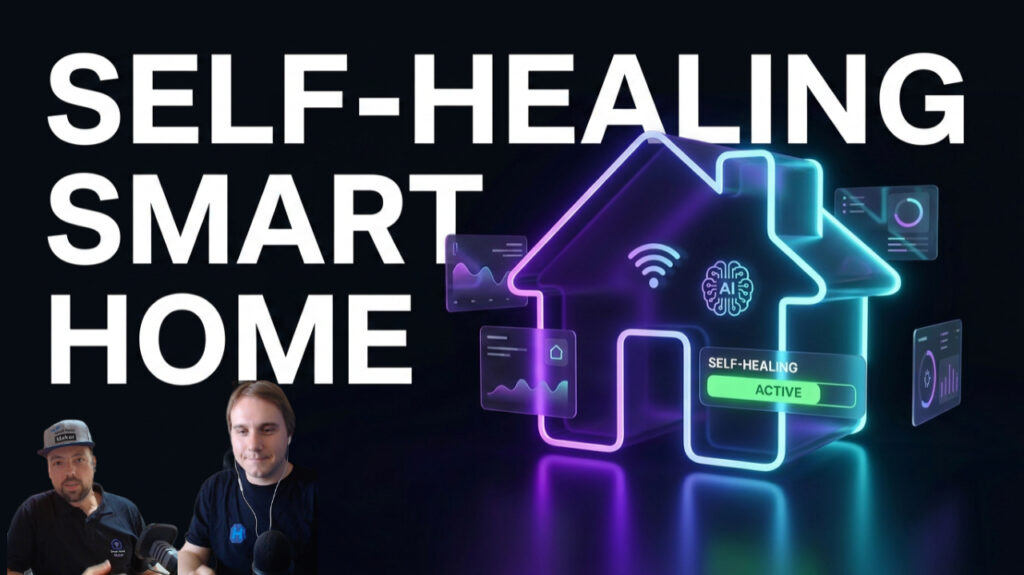
Here’s the dirty secret nobody selling you smart home stuff will admit: a smart home slowly falls apart. Not in a dramatic way. Quietly. A battery dies in a door sensor. A Zigbee device drops off the mesh. An integration breaks after an update you didn’t read the notes for. A token expires. And you don’t find out — until the automation you rely on simply doesn’t fire, usually at the worst possible moment.
For years my “maintenance strategy” was the same as everyone’s: notice something’s broken, sigh, and go fix it. The more automations I built, the more surface area there was to break, and the more time I spent firefighting instead of building. At some point the fun drains out of it.
So I flipped the model. Instead of me watching the house, the house watches itself — and increasingly, fixes itself. This is the setup I walked through with Lukas from Hobbyblogging in the latest episode, and it’s the closest thing I have to a genuinely self-healing smart home.
Component health is not enough
Most “monitoring” you’ll find online checks components: is the sensor online, is the integration loaded, is the disk full. Useful, but it misses the thing that actually matters — the use case.
A workflow can run “successfully” end to end and still fail to do its job, because the one thing it was supposed to trigger didn’t fire, or fired into a void. Green checkmarks everywhere, and the outcome still didn’t happen. So I monitor on two levels: the boring component level and the use-case level — did the thing the system exists for actually happen?
The architecture
The whole thing is a funnel. A lot of noisy signals go in one end; a small number of concrete, prioritised actions come out the other.
1. Everything gets read, every day. An automated run scrapes the logs I’d never read manually — Home Assistant Core, Supervisor, the OS, plus n8n, ESPHome, and my UniFi network. Separately, a security pass runs across every machine (tools like Lynis and rkhunter) so cyber-hygiene isn’t something I “get around to.” Update monitoring rounds it out, because an unattended update is how half of these breakages start.
2. A pre-filter separates signal from noise. Not every warning deserves your attention. A first pass — part plain rules, part LLM — sorts errors that need action from the informational chatter that doesn’t. Only the relevant stuff earns a spot in the queue.
3. It funnels into one focused session. The filtered findings land in a full-context AI coding session running on my own hardware — my rules, my skills, my memory, access to my systems. It’s smart enough to actually diagnose and, where it’s safe, fix. But I don’t want to spin up that heavy session for every trivial blip, which is exactly why the filter matters.
4. Findings become tasks — so nothing is ever lost. This is the part I’d underline twice. Every finding is written into a task manager before anything else happens. Sessions can crash, context can vanish, a run can die halfway. Doesn’t matter: the work is already a durable task with a priority. Finished tasks stay finished; unfinished ones wait. Nothing evaporates because a session dropped.
5. A dashboard tracks the use cases themselves. Every capability I build registers itself into a health dashboard — a couple of hundred use cases at this point, grouped by category (the big ones being automation and content, alongside security, family, health and operations) and each flagged green, warning, red, or dormant. “Dormant” isn’t a bug, by the way — some use cases simply haven’t had a reason to run yet. When one goes red, it becomes a task automatically. And because every new feature I ship registers itself, the monitoring grows with the system instead of falling behind it — each use case even wired to the exact workflow behind it.
Where “self-healing” ends and I begin
Let’s be honest about the word. It’s not 100% autonomous, and I don’t want it to be. Plenty of problems it can fix on its own — a broken condition, a misfired automation, a config that drifted. But a dead battery, a device that needs re-authentication, a plug that has to be physically power-cycled? No amount of AI reaches through the wall to do that.
So those become my tasks. I get a short Telegram nudge: here’s the to-do, here’s why it’s blocking. I mark it done, or I defer it. And here’s the elegant part — the AI knows it’s blocked. It won’t keep hammering a use case that’s waiting on me; it parks it and moves on, and picks it back up the moment I clear the blocker.
The payoff
The honest result: my smart home runs far more reliably than when I was the single point of monitoring. Things still break — the more automations you have, the more certain that is — but now they get noticed and fixed fast, instead of silently rotting until I stumble over them. And the mental load of “what’s quietly broken right now?” is basically gone.
That, to me, is the real promise of AI in the smart home. Not a chatbot in your kitchen. A system that quietly does the unglamorous maintenance work you were never going to keep up with anyway — so your automations keep their promises, and you get to go back to building.
I went deep on this setup — including a genuinely painful roller-shutter fail at midnight — with Lukas from Hobbyblogging in Episode #29 of the podcast. Watch the full episode on YouTube »

Leave a Reply