I’ve built my own universal smart home remote – and it’s epic.
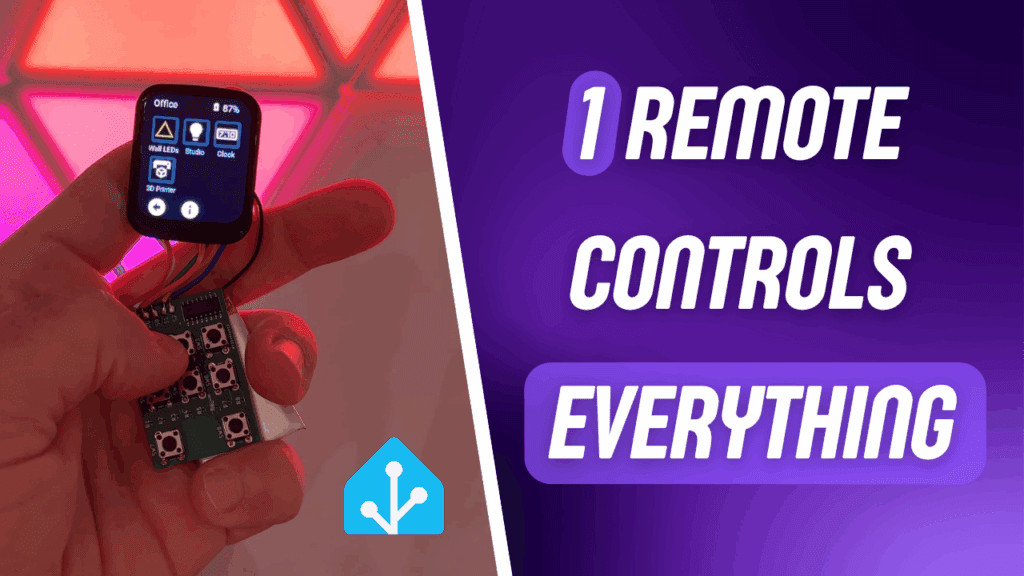
Ever wished for one single remote to control your entire smart home — without relying on voice commands or multiple apps? In this project, I built a first step to a DIY universal smart home remote with a touchscreen, physical buttons, and even infrared support, powered by ESP32, ESPHome, and fully integrated into Home Assistant. Here are some basic features:
- Touchscreen interface with dynamic content
- 8 physical buttons for quick actions
- Infrared sender to control legacy devices
- Rechargeable battery operation
- Seamless Home Assistant integration via ESPHome
I wanted a remote that even my family would actually use — something quick and intuitive that doesn’t require navigating a smartphone app or shouting at a voice assistant. Combining ESPHome’s flexibility with physical hardware allowed me to create a truly seamless experience.
🎬 You can watch the full build video here:

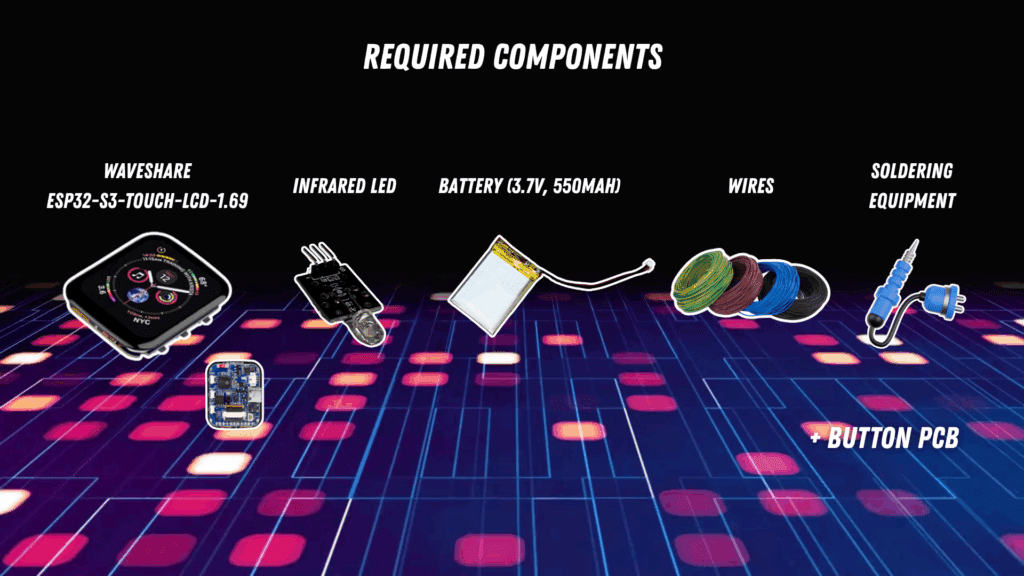
Required components
Here are the required components:
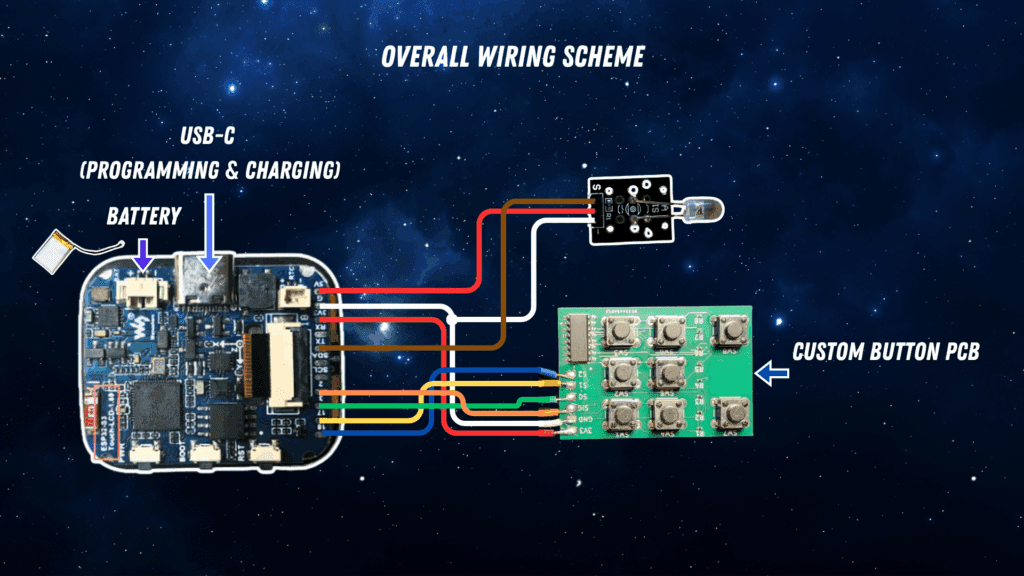
Wiring scheme
The following schematic shows you the overall wiring scheme:
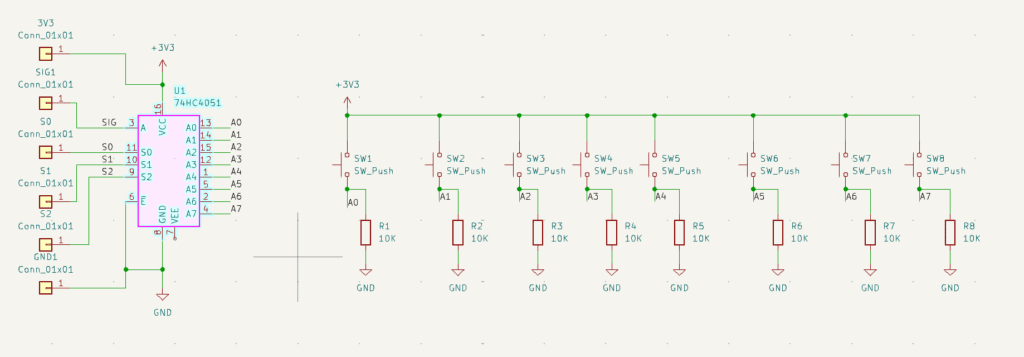
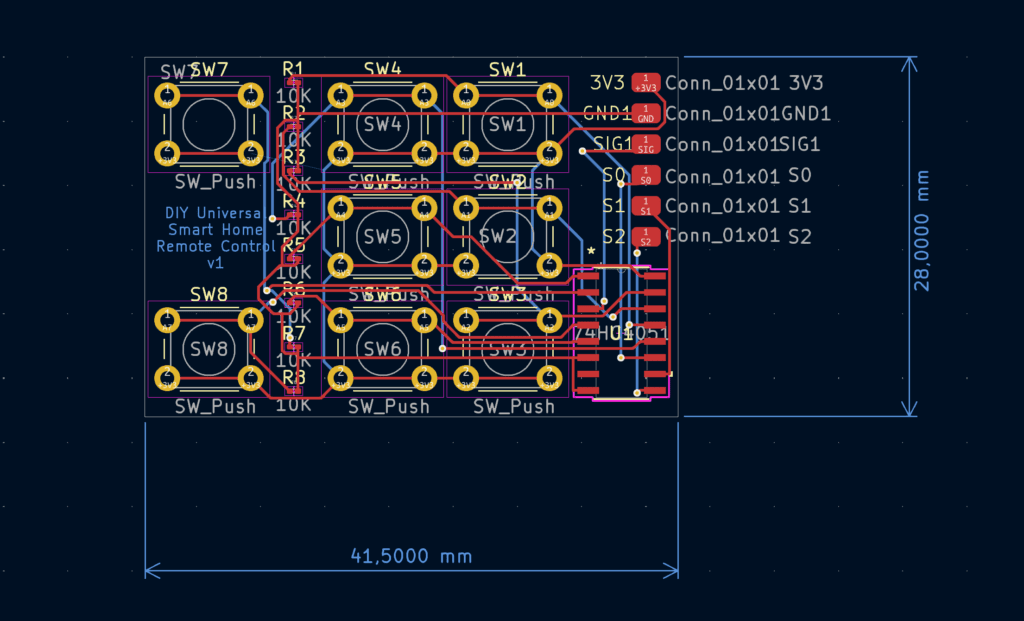
And here is the detail schematic for the button PCB:
PCB Layout
I designed a custom PCB for the button interface and power management:
Downloading the assets
You can find the full ESPHome configuration, display UI logic, and IR control code together with the KiCad project for the button PCB on GitHub:
[🔗 View the GitHub Repo](https://github.com/the-smart-home-maker/universal-smart-home-remote)
This is just Part 1 of the project. In upcoming posts and videos, I’ll dive deeper into the software architecture, touchscreen UI design, and battery power optimization. If you’re interested in building your own smart home interface, stay tuned!
👉 Have questions or ideas? Drop them in the comments below or open an issue on GitHub!
📬 Subscribe to [The Smart Home Maker YouTube Channel](https://www.youtube.com/@the_smart_home_maker) for more projects like this!
This post contains links to external resources. All designs are shared under the MIT License. Feel free to fork, remix, and improve!

Leave a Reply